
How to Study a 200-Page PDF Without Rereading It 5 Times
- Jul 17
- 4 min read
Updated: Jul 24
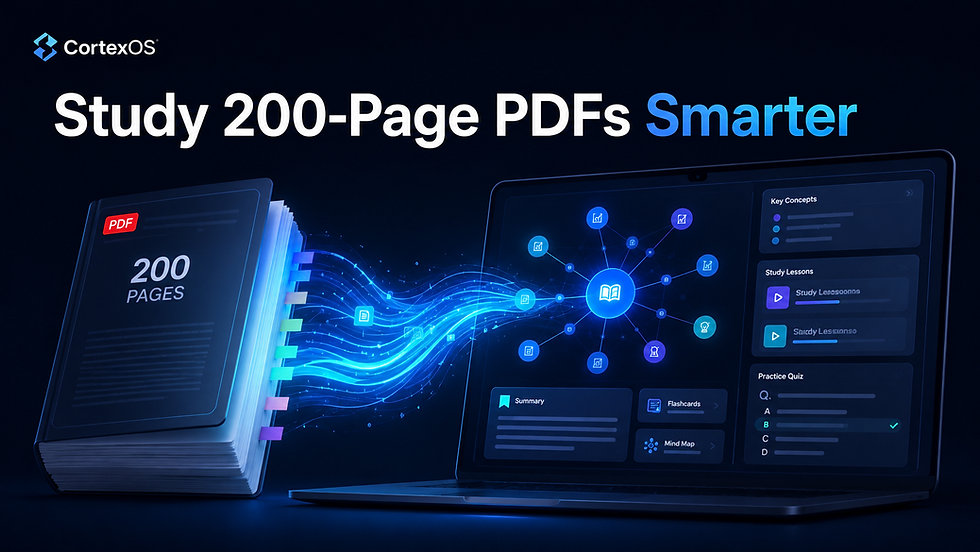
Studying a 200-page PDF can quickly become overwhelming. You open the document, highlight a few paragraphs, take some notes, and then realize that you still do not fully understand how the ideas connect. So you go back. You reread the same sections again. Then again. After hours of effort, you may remember a few definitions, but the structure of the subject is still unclear.
This is the main problem with traditional PDF studying: PDFs are linear, but learning is not.
A book, course packet, manual, or research paper often contains dozens of connected ideas. One concept depends on another. A definition links to an example. A chapter introduces a theory that appears again later in a different context. But when everything is trapped inside pages, it is hard to see the full picture.
That is why rereading alone is rarely enough.
Why rereading a long PDF does not always work
Rereading feels productive because you are spending time with the material. But time spent reading is not the same as understanding.
When you reread passively, you often recognize sentences without being able to explain them. This creates the illusion of mastery. You think, “I know this,” because the page looks familiar. But when you need to answer a question, write an essay, explain the idea, or apply it in a real situation, you may struggle.
The better approach is to turn the PDF into an active learning system.
Instead of asking, “How many times should I reread this?” ask:
How can I break this PDF into clear concepts, connections, questions, lessons, and revision paths?
That is exactly what CortexOS by SwiftIntellect is designed to do.
The smarter way: turn your PDF into a learning system
CortexOS transforms your PDF textbook, course material, training document, manual, or research paper into an interactive Knowledge Graph.
Instead of moving page by page, CortexOS maps out the structure of the material. It identifies chapters, lessons, concepts, and relationships so you can see how everything fits together.
This matters because understanding comes from connection.
When you can see which ideas are related, which concepts are prerequisites, and which topics depend on each other, the subject becomes easier to master. You stop treating the PDF as a wall of text and start treating it as a structured learning map.
What CortexOS creates from your PDF How to Study PDF Without Rereading It
After uploading your PDF, CortexOS can generate a complete learning environment around it.
You get a Knowledge Graph, which gives you a visual map of your material. This helps you navigate by meaning, not just by page number.
You get lesson cards, which summarize larger sections into structured explanations, key ideas, must-know points, examples, traps to avoid, and practice questions.
You get concept cards, which break down individual ideas with definitions, examples, common pitfalls, related concepts, and integrated quizzes.
You also get practice questions, so you can move from passive reading to active recall. Instead of asking yourself, “Did I read this?” you test whether you can actually remember and use the information.
For visual learners, CortexOS also generates lesson videos and concept videos directly from your learning cards. This gives you another way to review difficult material without starting the whole PDF again.
How to study a 200-page PDF with CortexOS
A better study workflow looks like this:
First, upload your PDF into CortexOS. This can be a textbook, lecture notes, a course packet, a research paper, or professional training material.
Second, open the generated Knowledge Graph. Before reading every detail, look at the structure. Identify the major chapters, key concepts, and relationships.
Third, study the lesson cards. These help you understand each section clearly without getting lost in long pages.
Fourth, use concept cards for difficult ideas. If one term, theory, formula, or framework is confusing, open its card and review the explanation, examples, pitfalls, and related concepts.
Fifth, test yourself with practice questions, Fill the Blank exercises, and the Essay Simulator. This is where real learning begins, because you are forced to recall and explain the material.
Finally, use Swift Clarity, the AI tutor inside CortexOS, when you need clarification. You can ask plain-language questions about your own material and get help based on the PDF you uploaded.
The result: less rereading, more understanding
CortexOS does not just summarize your PDF. It restructures it into a complete learning system. How to Study PDF Without Rereading It
That is the difference.
A summary can make a document shorter, but it does not always make it easier to master. CortexOS helps you understand the relationships between ideas, review through structured cards, practice with questions, learn visually through videos, and follow a clearer path through the material.
So instead of rereading a 200-page PDF five times, you can study it more intelligently: map it, break it down, test yourself, clarify weak points, and review through connected learning.
If your goal is not just to finish the PDF, but to actually understand and remember it, CortexOS gives you a better way to learn.
Start with one PDF. Turn it into a Knowledge Graph. Then study with structure instead of struggle.


Comments