
CFA Level 1 2026 Calculator Tips: Functions You Must Know Before the Exam
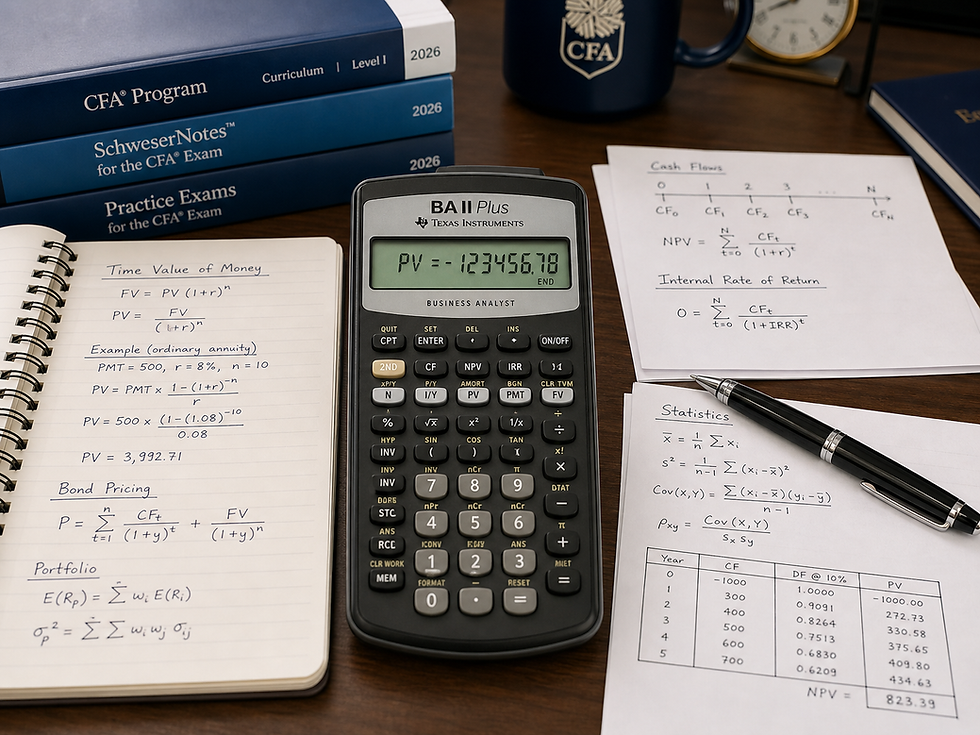
Your calculator can either save you time on the CFA Level 1 exam or quietly cost you marks. Many candidates spend months learning formulas but only use the calculator in a basic way. That is a mistake. Level 1 includes many questions where speed, accuracy, and calculator familiarity matter, especially in Quantitative Methods, Fixed Income, Corporate Issuers, Financial Statement Analysis, Equity Investments, and Portfolio Management.
CFA Institute allows only two calculator models for CFA Program exams: the Texas Instruments BA II Plus, including the BA II Plus Professional, and the Hewlett Packard 12C, including approved Platinum and Prestige versions. Candidates cannot borrow or share a calculator during the exam, and unauthorized calculators can lead to exam results being voided.
Why Calculator Mastery Matters for CFA Level 1
The CFA Level I exam consists of 180 multiple-choice questions, divided into two sessions of 135 minutes each. CFA Institute advises candidates to allow approximately 90 seconds per question.
That means you do not have time to slowly rebuild every calculation from scratch. You need to know which calculator function to use, how to clear old data, and how to recognize when your answer is unreasonable. CFA Institute also specifically advises candidates to know the calculator features needed to solve curriculum formulas and examples because familiarity saves valuable exam time. CFA Level 1 2026 Calculator Tips
1. Reset and Clear Functions CFA Level 1 2026 Calculator Tips
Before any calculation-heavy question, make sure old values are not still stored in the calculator. One of the most common mistakes is carrying previous time value of money, cash flow, or statistical inputs into a new problem.
For the BA II Plus, candidates should be comfortable clearing:
TVM worksheet
Use this before time value of money, loan, annuity, or bond-style calculations.
Cash flow worksheet
Use this before NPV and IRR questions.
Statistics worksheet
Use this before mean, standard deviation, correlation, or regression calculations.
This sounds basic, but it is one of the easiest ways to avoid wrong answers. In the final week, build the habit: clear first, then calculate.
2. Time Value of Money Functions
Time value of money is one of the most important calculator areas for CFA Level 1. You should be able to solve quickly for:
N — number of periods
I/Y — interest rate per period
PV — present value
PMT — payment
FV — future value
These functions appear in Quantitative Methods, Fixed Income, Corporate Issuers, and Portfolio Management. You should be comfortable solving ordinary annuities, annuities due, future value, present value, loan payments, and implied interest rates.
The mistake candidates often make is entering the wrong sign. On the BA II Plus, cash inflows and outflows must have opposite signs. For example, if you invest money today, PV should usually be negative and FV positive.
3. Payment Timing: END vs. BGN
This is a small setting that can create a big error. The calculator can treat payments as occurring at the end of each period or the beginning of each period.
Most standard finance problems use END mode. Annuity due questions use BGN mode because payments occur at the beginning of the period.
Before the exam, know how to check this setting quickly. If your calculator is accidentally left in BGN mode, a normal annuity calculation may be wrong even if every input is correct.
4. Cash Flow, NPV, and IRR Functions
For Corporate Issuers and capital budgeting, you must know how to use the cash flow worksheet. Many candidates can calculate NPV manually, but the calculator is faster and safer when cash flows are uneven.
You should know how to enter:
Initial investment
Year-by-year cash flows
Repeated cash flow frequencies
Discount rate
NPV
IRR
This is especially useful for questions involving project evaluation, capital allocation, and investment decisions. Remember the interpretation: a positive NPV adds value, while IRR is the discount rate that makes NPV equal to zero.
5. Bond and Yield Calculations
Fixed Income is one of the most calculator-sensitive Level 1 topics. You should be comfortable using TVM functions to price a bond when given coupon, maturity, yield, and face value.
The core idea is simple: a bond price is the present value of future coupon payments plus the present value of principal. Your calculator helps you avoid long manual discounting.
Be careful with semiannual bonds. If coupons are paid twice per year, adjust both the number of periods and the yield per period. For example, a 6-year semiannual bond has 12 periods, and an annual yield of 8% becomes 4% per half-year.
6. Statistics Functions
Quantitative Methods and Portfolio Management often require statistical calculations. You should know how to calculate:
Arithmetic mean
Sample standard deviation
Population standard deviation
Variance
Correlation
Regression inputs, if applicable
The common trap is confusing sample and population standard deviation. In many CFA-style contexts, sample standard deviation is the relevant measure when working from sample data. Always read the wording carefully.
7. Memory and Store Functions
Memory functions can save time, especially in multi-step calculations. Instead of writing every intermediate result on scratch paper, store important values such as a discount factor, intermediate return, or ratio component.
This is helpful for formulas such as DuPont ROE, portfolio variance, CAPM, Sharpe ratio, and bond price sensitivity. However, do not rely on memory functions if you are not comfortable with them. In the final days, use only the shortcuts you have practiced.
8. Decimal Settings and Rounding
Set your calculator to show enough decimals. Two decimal places may look clean, but it can create rounding errors in multi-step calculations. Many candidates prefer four or more decimal places during practice.
On exam day, answer choices are usually designed so that reasonable rounding will not punish you. But if your answer is slightly different from all three options, check whether you rounded too early.
Final Calculator Checklist Before Exam Day
Before the CFA Level 1 2026 exam, make sure you can do the following without hesitation:
Clear TVM, cash flow, and statistics worksheets.
Switch between END and BGN mode.
Solve for PV, FV, PMT, N, and I/Y.
Calculate NPV and IRR for uneven cash flows.
Price a bond using TVM keys.
Adjust yield and periods for semiannual compounding.
Calculate mean, standard deviation, and correlation.
Use memory functions for multi-step problems.
Check decimal settings.
Replace or check calculator batteries before exam day.
Your calculator will not replace conceptual understanding, but it can protect you from avoidable mistakes. In a 180-question exam where time matters, calculator fluency is not a small detail. It is part of your exam strategy.


Comments